Mobile App Full Design Process Google Certificate

Péculéo — A Cute and Simple
Money Management App

Certificate final project: designing a simple and intuitive app whose visual language brings confidence, serenity and a sense of achievement — helping users save money effortlessly while staying motivated every day.

My Role Solo UI/UX Designer
Timeline 2 weeks
Tools Figma, FigJam, Miro

Saving money shouldn't feel like a chore.

The brief: design an app that helps friends or families manage their budget and save toward a shared goal. A solo project to put into practice the methods learned during the Google UX Design Certificate.

In France, 87% of people have a savings account, yet the top reason for saving is simply to deal with unexpected expenses — not to reach meaningful goals. The savings rate hit 18.9% in 2025, the highest since 1980, but existing apps feel cold and corporate, offering little motivation to keep going.

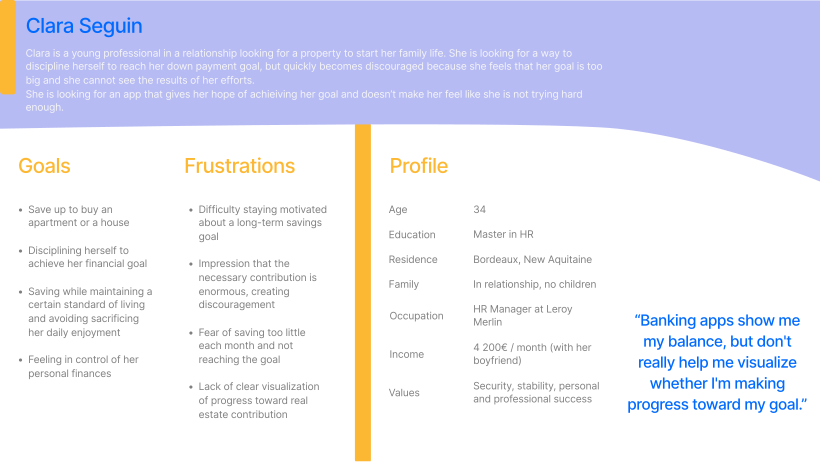
"Banking apps show my balance, but they don't really help me see if I'm making progress toward my goal."

— User interview
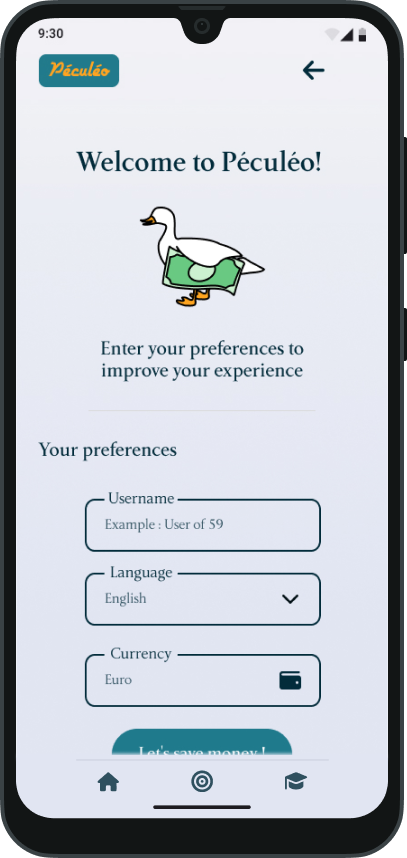
Péculéo onboarding screen with mascot goose

From research to polished screens in two weeks.

1

Empathy & Definition

  • UX research
  • Persona creation
  • User journey maps
  • Storyboards

Clearly defining the user's problem made every design decision easier.

2

Ideation

  • How Might We
  • Crazy 8 sketches
  • User flows
  • Brainstorming

Brainstorming solutions from the brief to find the right approach.

3

Prototyping & Testing

  • Low-fi wireframes
  • Hi-fi prototypes
  • User testing
  • Iterations

User testing led to key iterations.

4

Design System

  • UI components
  • Design variables
  • Consistent styling
  • Quick iterations

A complete UI component library ensuring consistency and efficiency across the app.

Personas & How Might We's

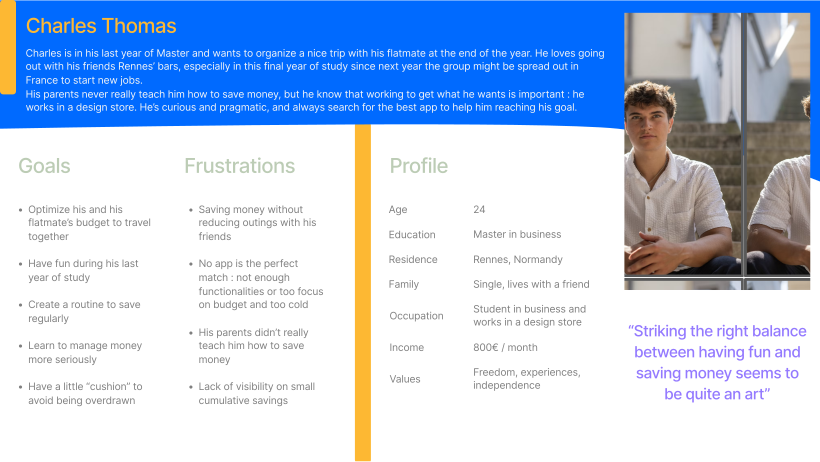
For this study I worked with two personas - Charles, a 24-year-old student saving for a trip with his roommate, and Clara, a 34-year-old professional saving for a home deposit. Both share the same frustrations: no clear progress tracking, and apps that make them feel like they're not doing enough.

Persona Charles — 24-year-old student saving for a trip Persona Clara — 34-year-old professional saving for a home deposit

How might we be sure that users stick to their long-term goals?

By creating intermediate milestones and visual celebrations of progress, so the goal never feels too far away.

How might we make a finance management app fun?

Through a streak system, a friendly mascot and a visual language that feels soft and encouraging.

How might we make the app educational?

With short daily lessons on saving habits, a streak system, and curated tips that users can save and revisit anytime.

How might we make the app fast to use?

By placing a call-to-action (CTA) button to add expenses quickly.

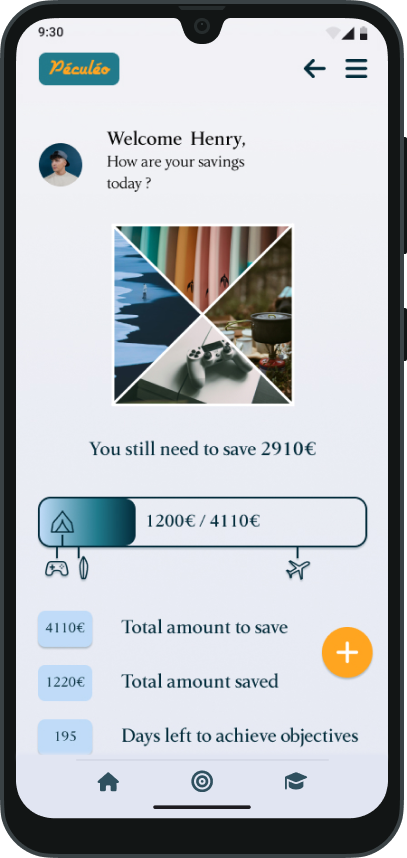
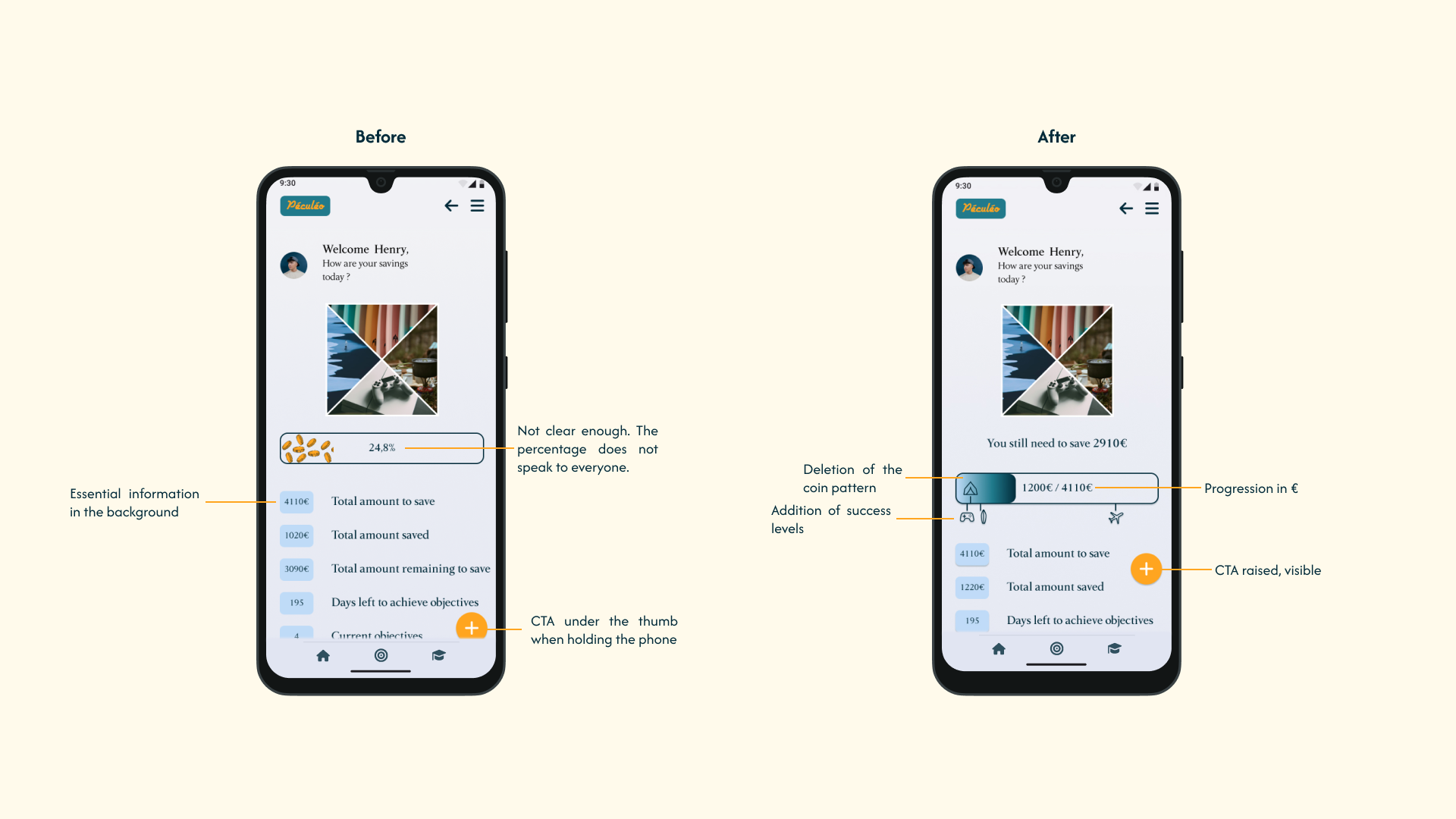
Péculéo homepage with savings dashboard — top Péculéo homepage with savings dashboard — bottom

The design direction

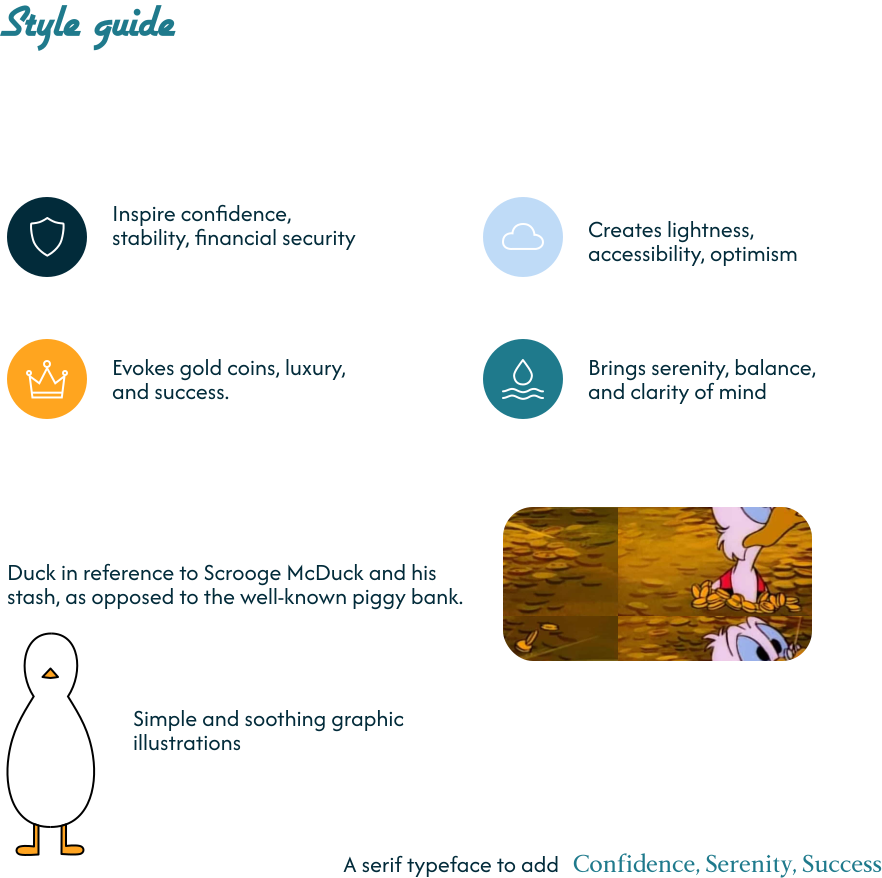
The research pointed to a clear direction: the app needed to feel like a friendly companion, not a too financial tool. Something that encourages rather than lectures.

This led to the creation of Péculéo's mascot — a charming white duck — and a visual language built around soft colours, rounded shapes, and positive reinforcement at every step.

Post-feedback iterations

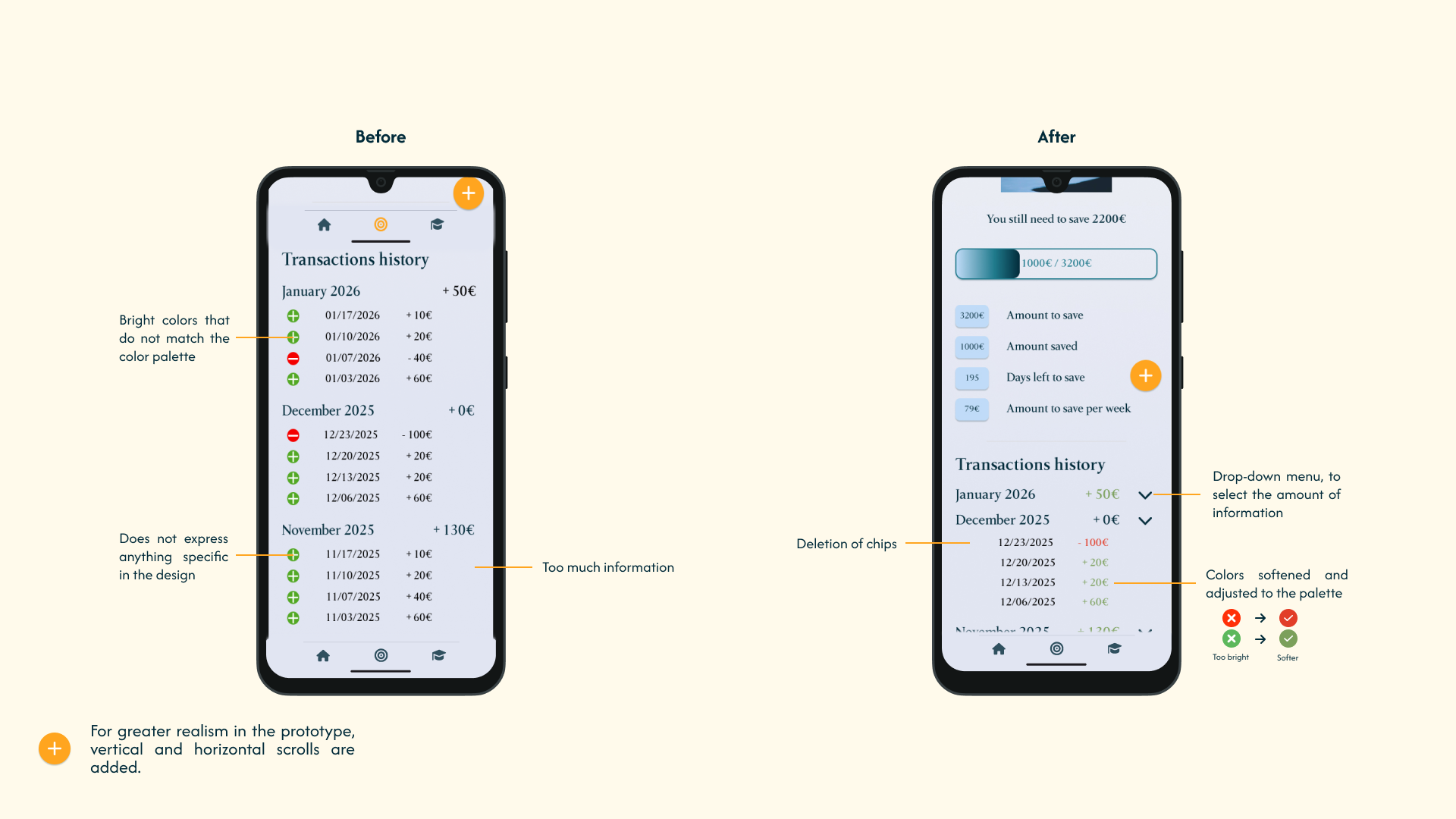
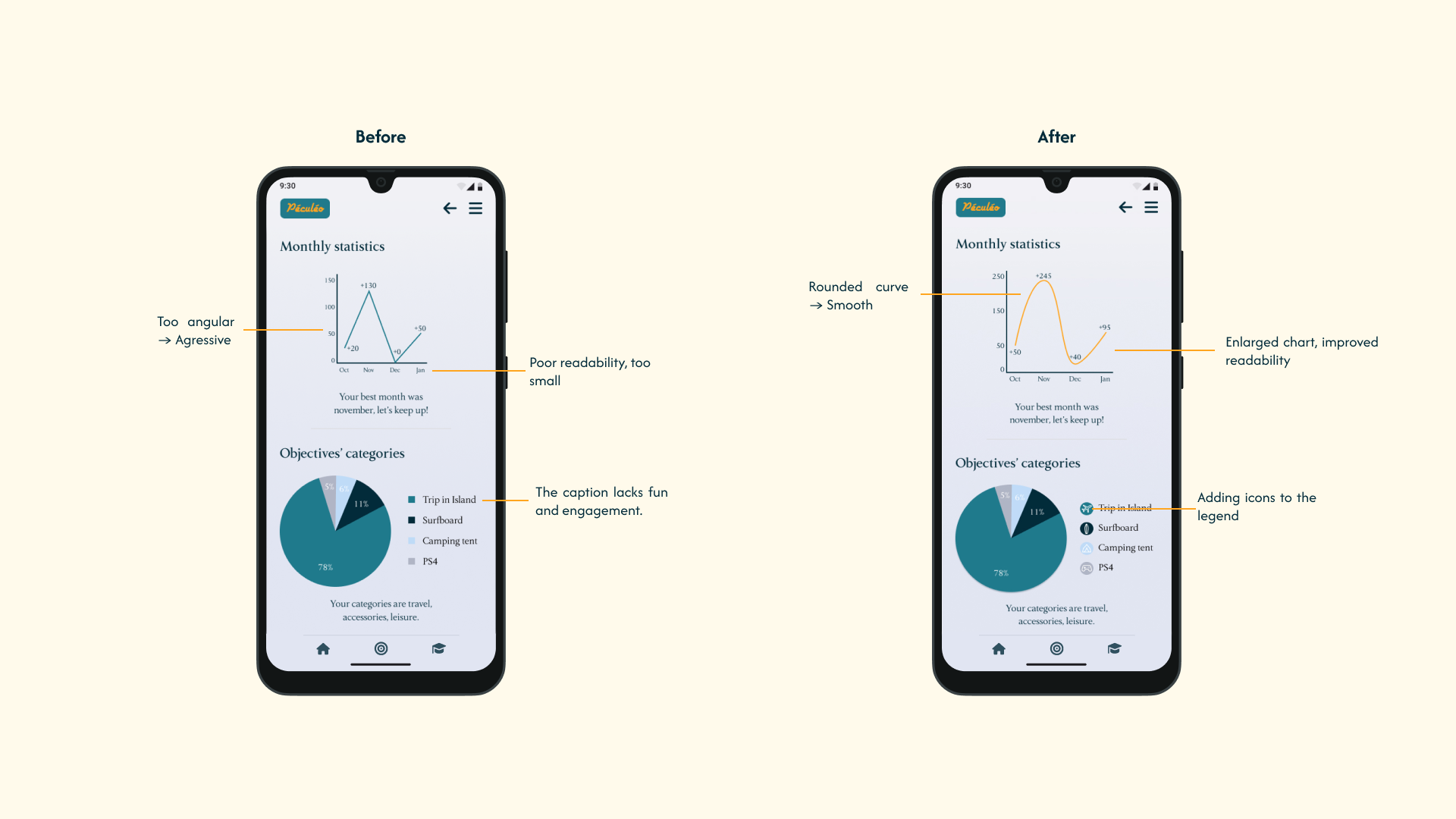
Péculéo post-feedback iteration 1
Péculéo post-feedback iteration 2
Péculéo post-feedback iteration 3

Meet Péculéo. Saving money, made simple.

Péculéo brings together elements and visuals to deliver confidence, serenity, and success to its users — all while nodding to Scrooge McDuck and his nest egg, as a playful counterpoint to the famous pig-shaped piggy bank.

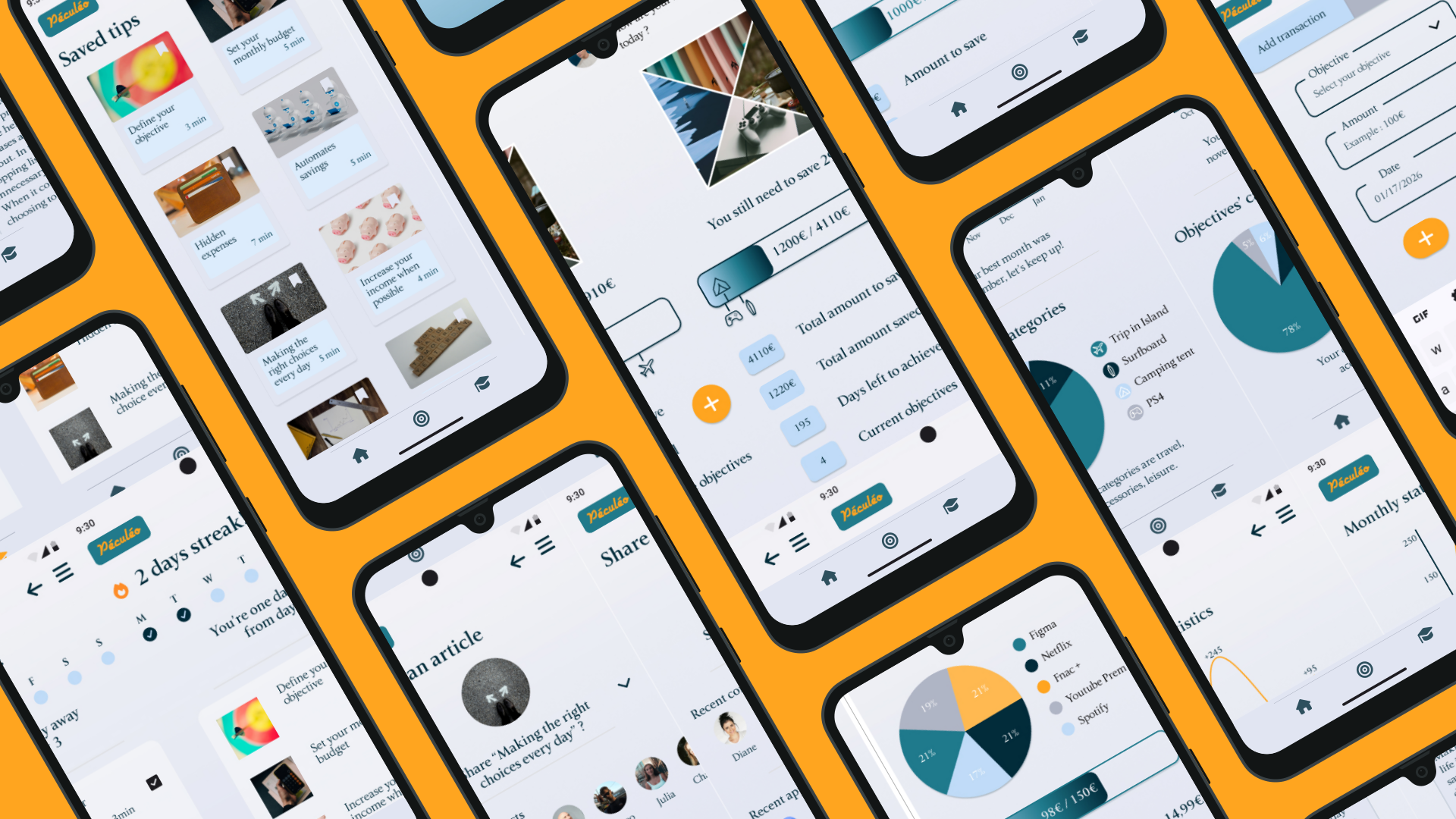
Péculéo homepage with savings progress
Homepage — overview of ongoing savings goals
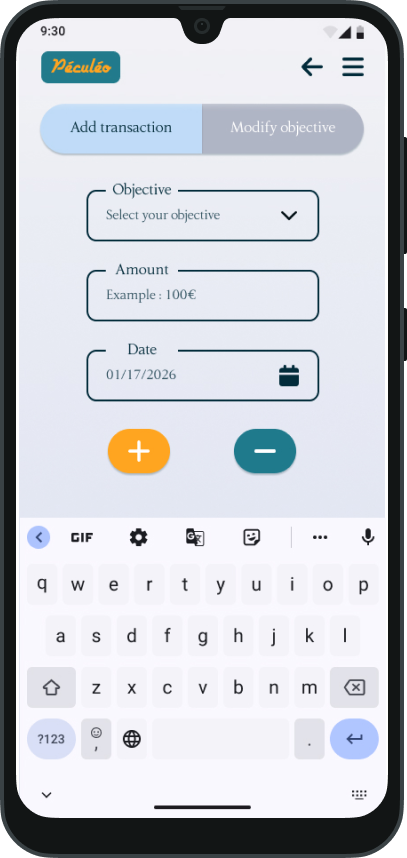
Péculéo add transaction screen
Add transaction page — quick adding and editing
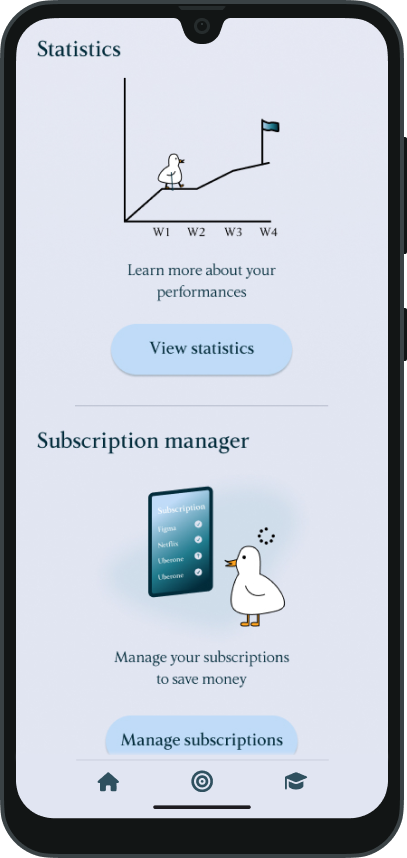
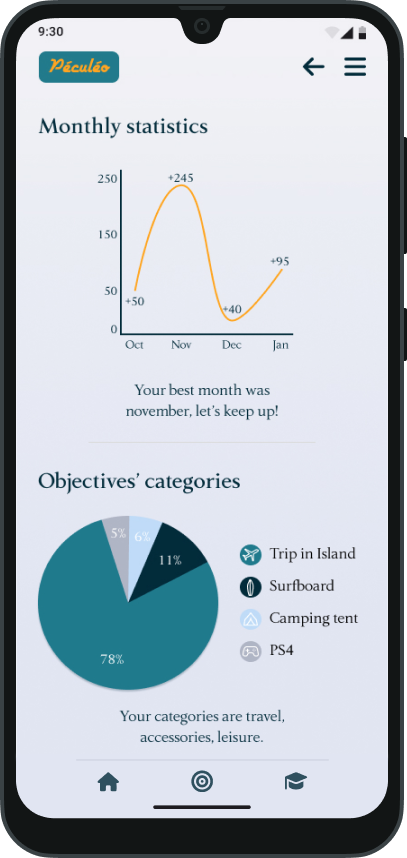
Péculéo statistics page with charts
Statistics — for a full overview
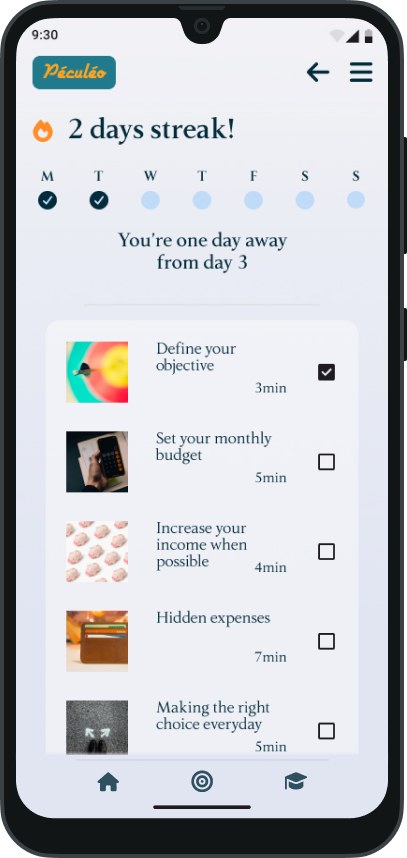
Péculéo financial lessons page
Lessons — learn every day to keep your daily streak
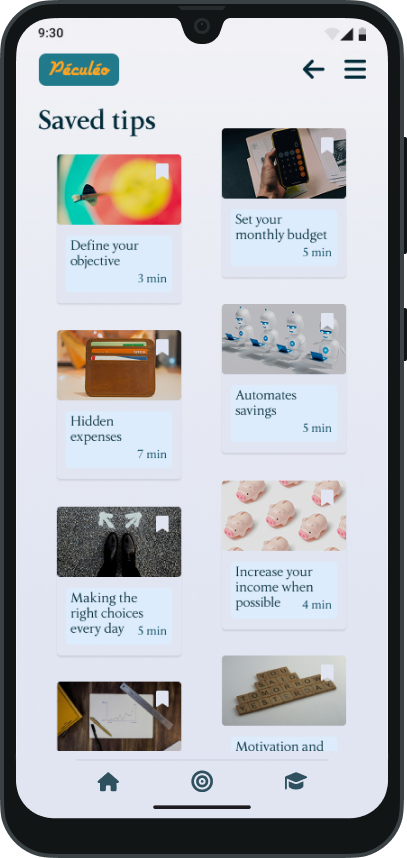
Péculéo saved tips page
Saved tips — so you never lose your learnings
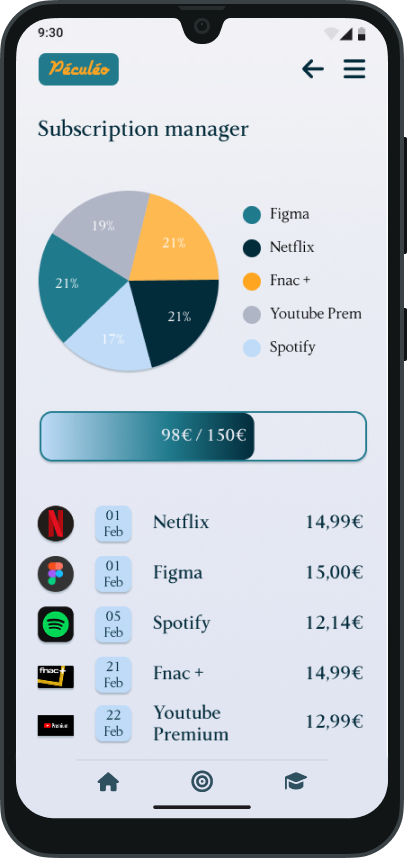
Péculéo subscription manager
Subscription manager — to keep track of recurring expenses

The details that make it special

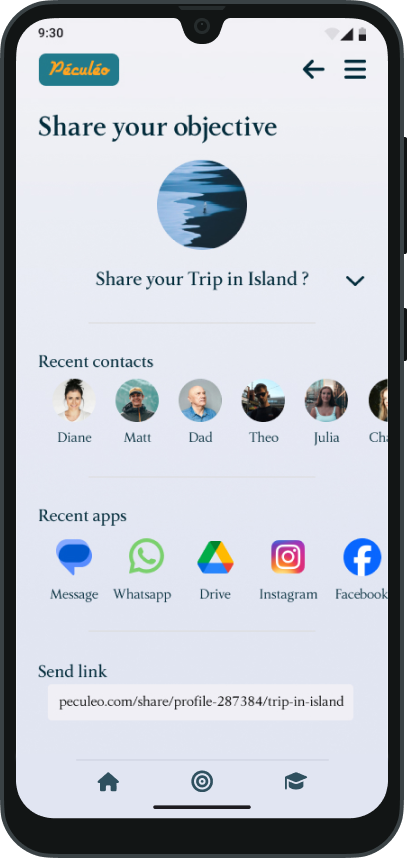
The goose mascot appears throughout the app, reacting to your progress and cheering you on. Combined with a streak system for financial lessons and the ability to share objectives with friends, Péculéo turns saving into a positive daily habit.

Every screen was designed to feel calm and achievable — proving that a finance app can be both functional and delightful.

Péculéo share objective screen

Thoughts from my first full UX/UI project.

As this was the first project I completed entirely as a UI/UX designer, here are some thoughts that emerged along the way — one per phase of the design process.

Empathy

Knowing where to start, without getting sidetracked. Through practice, you learn to distinguish what is essential from what is secondary — and truly understand the user's needs.

Definition

Clearly defining the user problem you want to solve makes decision-making easier throughout the entire design process.

Ideation

Implementing a design system and variables early lets components and colours be modified quickly — while ensuring consistency and efficiency.

Prototyping

It's important to consider each of the links between screens. Linking a component once can also make it work across every screen that uses it.

Testing

Collect user feedback and take the time to consider a comment before accepting or rejecting it — a relevant idea often emerges after a little delay.

Next project

My Portfolio x Claude — Creative Process

Learning to master AI as a creative partner through a meaningful project.

View case study →